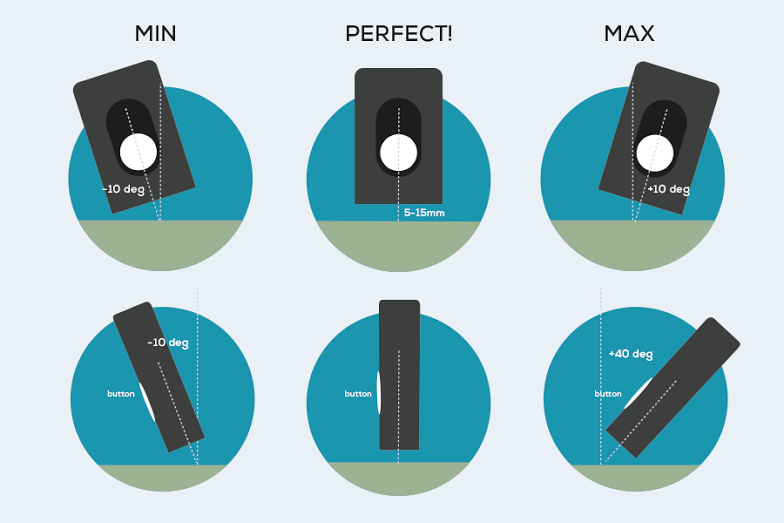
In addition to the scanning instructions as shown above, here are some of the best practice tips and tricks from other SCiO users in the field.
| When you get this… | Do this: |
|---|---|
| Calibration | Calibrate your SCiO with the SCiO Cover. |
| Weak Signal | You are trying to scan something that has almost no reflectance. Try from a different angle or pick a new sample material. |
| Invalid Scan | Hold SCiO steady, make sure the illumination light is pointed at your sample, make sure your SCiO is the correct distance from the sample (1cm/0.5”) from sample. If in direct sunlight, shade your SCiO or try to block some of the light. |
| SCiO doesn’t show up in your phone sync list | Turn your phone Bluetooth off and then back on. Turn SCiO off and then back on. |
| SCiO flashes red and won’t turn on | Your SCiO needs power. Charge! |